博客

  • Keep It 2.8.3 download

    Keep It 2.8.3 download

    Keep It 2.8.3

    Keep It 2.8.3

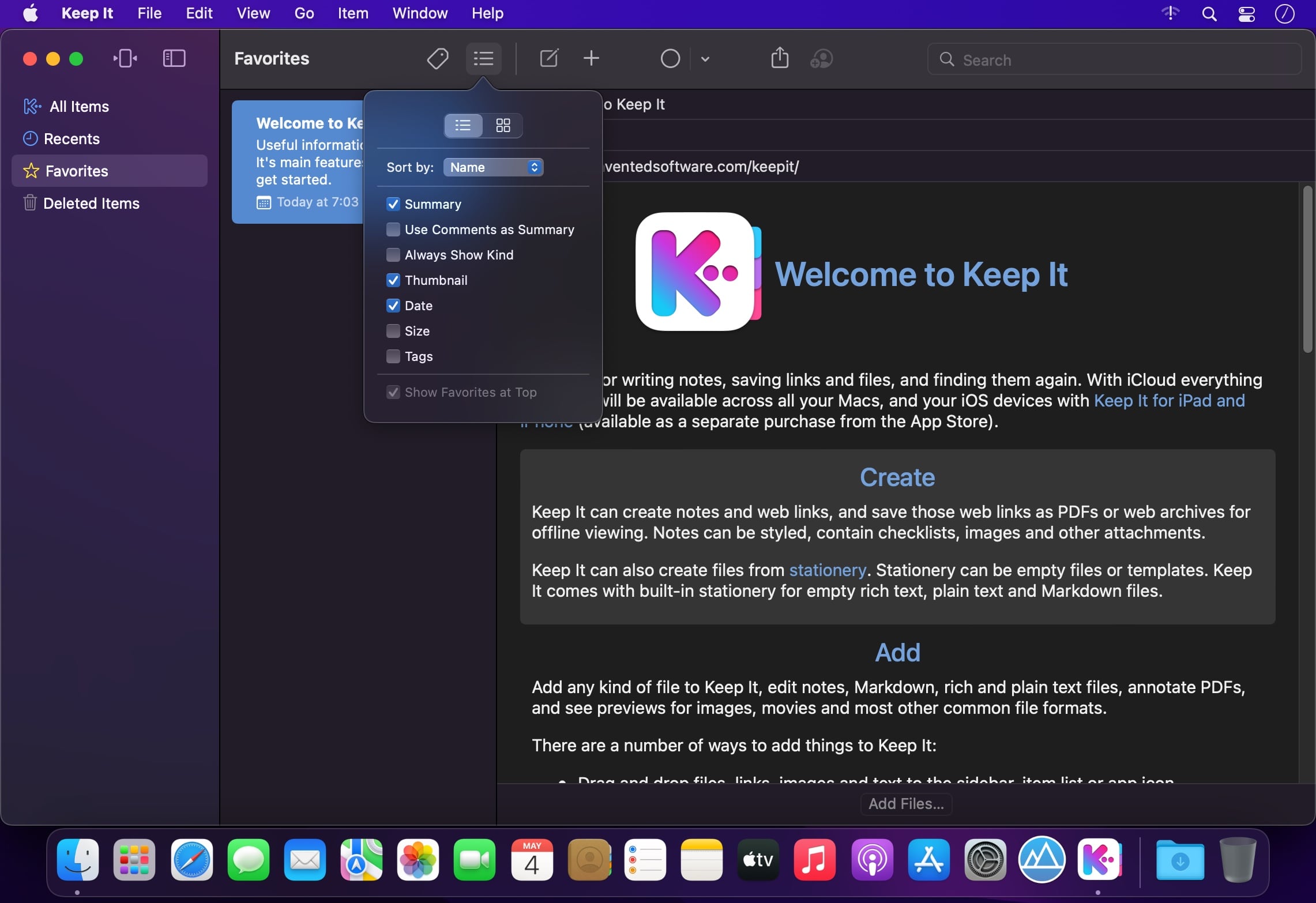
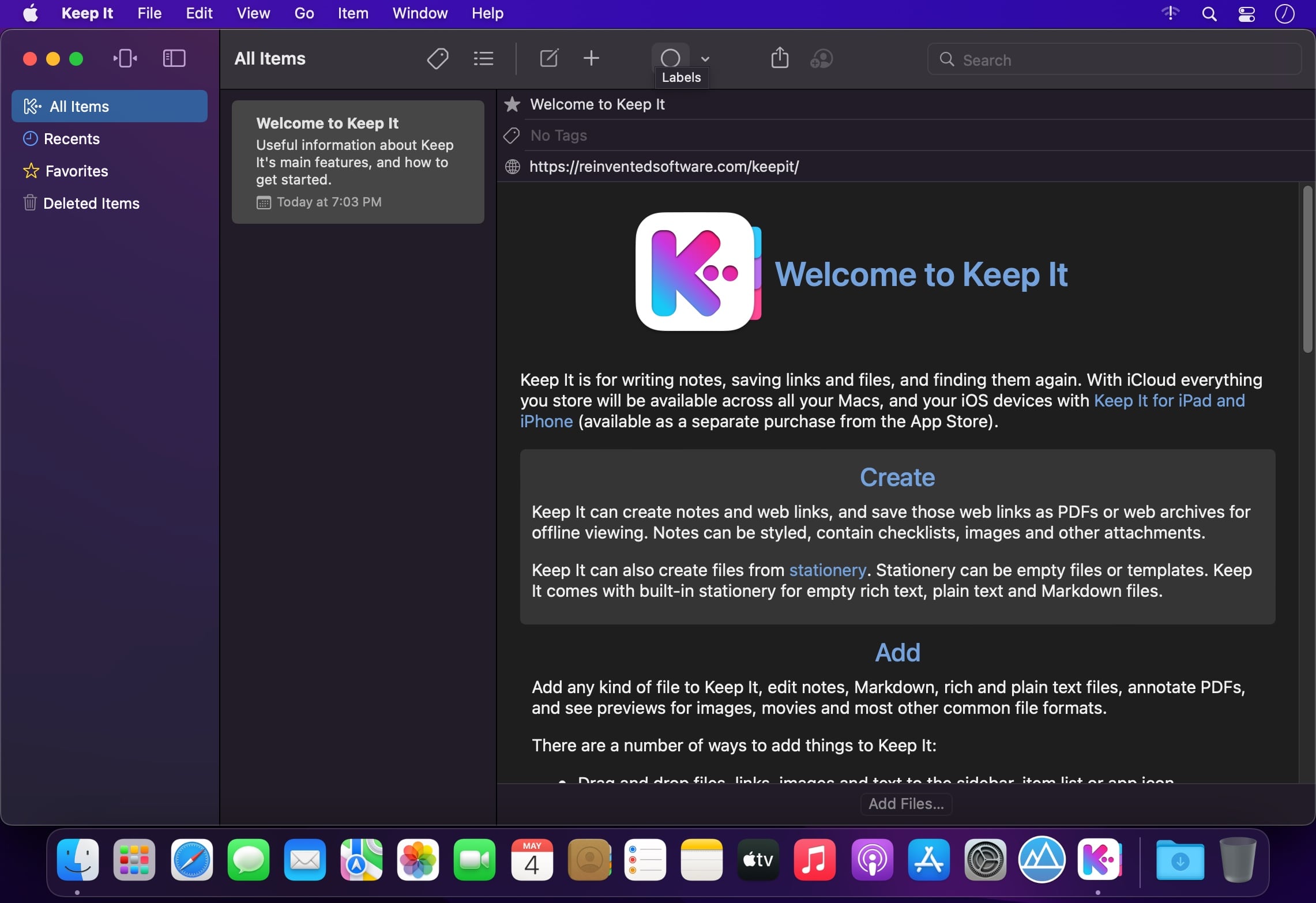
    Keep It is for writing notes, keeping web links and documents, and finding them again. Available on Mac, and as a separate app for iPhone and iPad, Keep It is the destination for all those things you want to put somewhere, confident you will find them again later.

    Notes and Links
    Make Notes
    Create notes with built-in styles that look good and read well on all your devices. Notes can contain checklists, bulleted and numbered lists, images, links and other attachments.

    Save Web Links
    Save web links to Keep It, view them in the app, open them in your browser, or save them as PDFs for offline reading.

    Files
    Add Anything
    Any kind of file can be added to Keep It or saved to its folders, and opened for editing in their original applications. With iCloud, changes are automatically made available across all your Macs and iOS devices.

    Preview and Edit
    Keep It generates thumbnails and summaries for most files, can edit its own notes, rich and plain text files, and show previews for PDFs, images, web pages and most other documents.

    Search and Filter
    Search
    Keep It can search the content of most files. Suggestions appear as you type, allowing you to narrow down results to exactly what you need, or use keywords and natural language. Save searches for later reuse.

    Tag Filter
    Keep It’s Tag Filter makes finding things by their tags a pleasure. Choose a tag to see all the tagged items and any other relevant tags; choose another tag to drill down further.

    Organize
    Folders
    Folders let you organize items and bundles hierarchically, when needed. Select a folder to see everything it contains.

    Bundles
    When you need to gather things into one place, make a bundle. Items can be in more than one bundle at a time, and when you remove the bundle, everything else stays where it was.

    Labels
    Use labels to color-code items for quick visual recognition. Labels are listed in the sidebar so you can quickly see everything with a particular label.

    More Lists
    Use the Recents list to see things you’ve added or viewed lately, with the latest shown at the top. Favorites provide quick access. Deleted Items are automatically removed after 30 days.

    Where You Need It
    Compact Mode
    In compact mode, Keep It for Mac becomes a single column, ideal for using alongside other apps or in split screen.

    Works with Other Apps
    Pretty much anything can be dragged to Keep It, and you can also add things from a variety of apps with Keep It’s share extension.

    What's New:

    Version 2.8.0

    SUMMARY:

    Improvements when importing from a scannerImprovements linking to itemsShortcuts improvements

    NOTES EDITABLE TEXT FILES:

    Improved Insert Link panel no longer requires you to specify what you’re insertingImproved display margins at the medium size

    SCANNING DOCUMENTS:

    When importing from a scanner, the default name now includes the date and timeAdded an option to Import settings to show the Import View when importing from a scanner

    SHORTCUTS:

    Added an “Append Link” action for appending a clickable link to a note or editable text fileAdded a “Match Name Exactly” option to the “Find Items” action

    GENERAL:

    Improvements to the Import View or Share Extension for renaming a fileImproved name generation, particularly in non-Latin languagesNotes and rich text documents will now show thumbnails for attached PDFs in List View

    Screenshots:
    下载地址:

  • iBarcoder 3.17.8 download

    iBarcoder 3.17.8 download

    iBarcoder 3.17.8

    iBarcoder 3.17.8

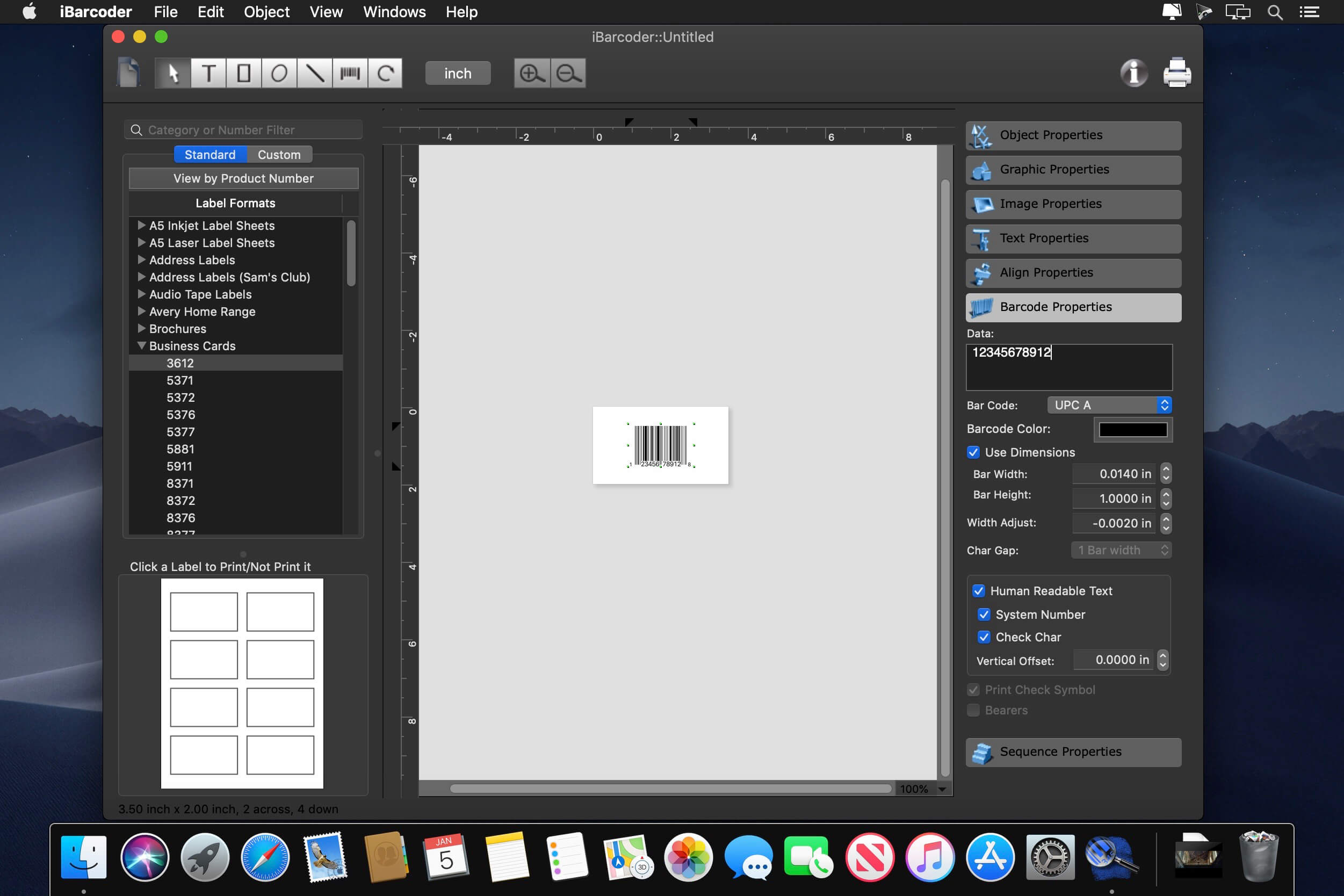
    The Cristallight iBarcoder is professional mac barcode generator for creating any number of individual, or sequential barcodes, printing them as colorful barcode labels in your own style, of any size, or shape, or exporting them as graphic image files in common vector and raster image formats.

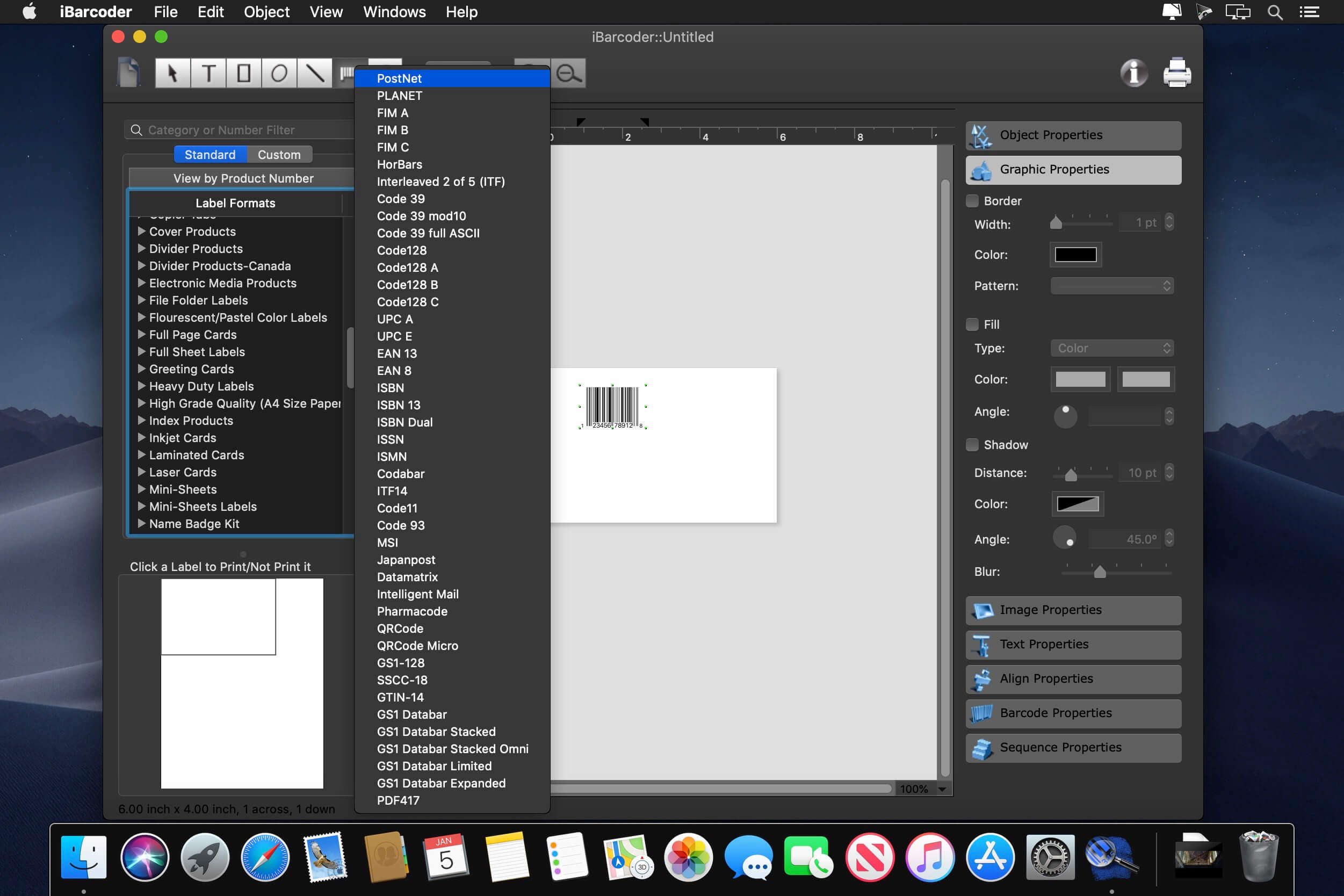
    The iBarcoder makes it really easy to design and print barcode labels, stickers, tags on your mac in just a few steps. Use our mac barcode software to produce barcodes of more then 40 1-D and 2-D (Datamatrix and QR Code, etc.) barcode symbologies.

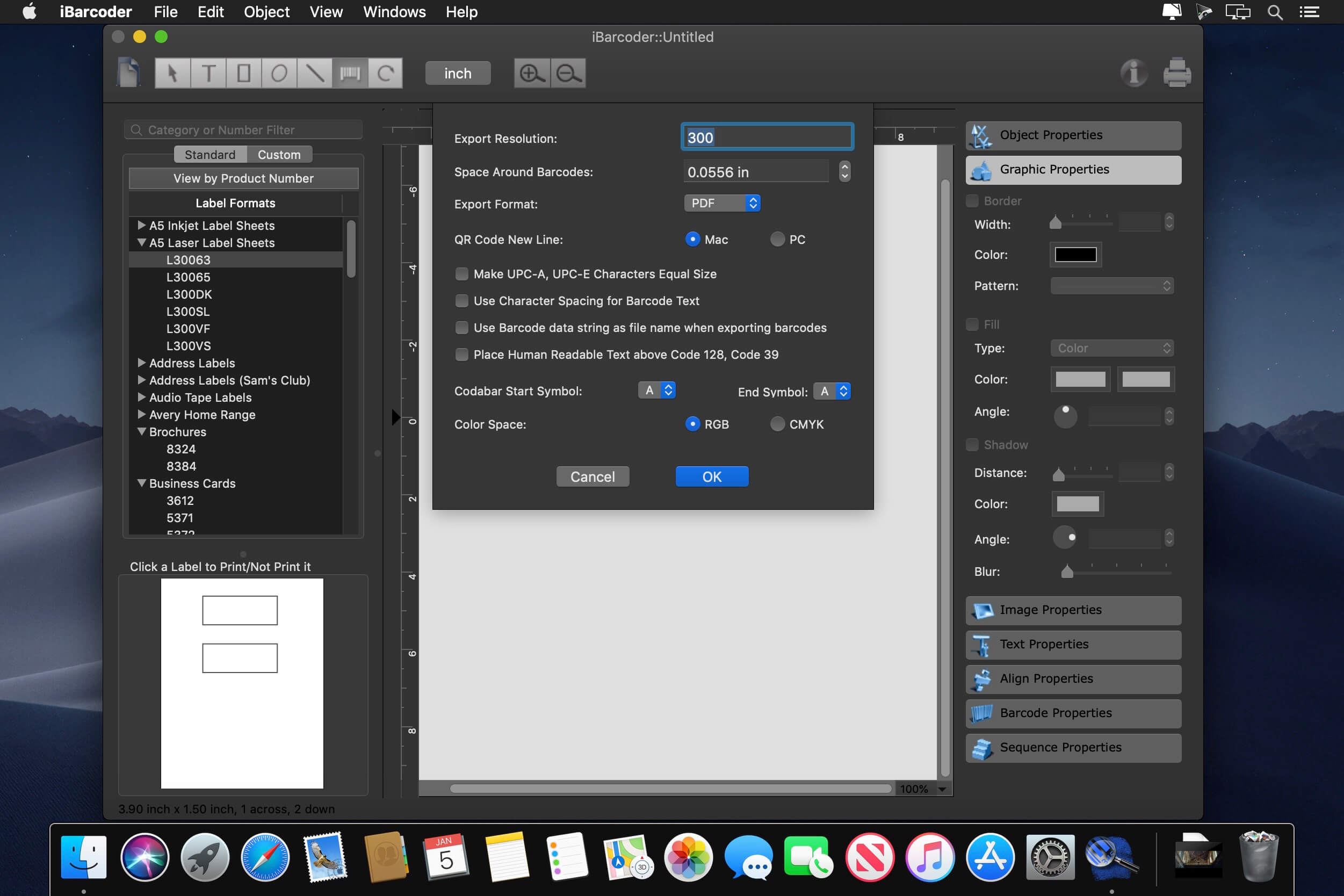
    Export barcodes either as high-resolution (up to 4800 dpi) image files, or vector graphics:

    PDF (vector)EPS (vector)BMPTIFFJPEGPNGPNTGPhotoshop and more…

    What's New:

    Version 3.17.8:

    Industrial 2 of 5 barcode added.

    Screenshots:

    下载地址:
  • Gemini 2: The Duplicate Finder 2.10.0 macOS 文件去重 智能双模识别 四层安全防护

    Gemini 2: The Duplicate Finder 2.10.0 macOS 文件去重 智能双模识别 四层安全防护

    Gemini 2: The Duplicate Finder 2.10.0

    Gemini 2: The Duplicate Finder 2.10.0 — 你硬盘里的「空间清道夫」,专治重复泛滥、冗余堆积与误删焦虑。

    别再让成倍的副本悄悄吞噬你的存储:一张照片存了12版,同一首歌在iTunes里反复出现7次,项目草稿夹里堆着5个命名相似却毫无区别的PDF……它们不是备份,是隐形负担。

    现在,你只需一次深度扫描——Gemini 2以毫秒级并行算法穿透整个macOS系统,无论文件藏在iCloud同步目录、Time Machine快照边缘,还是外接SSD的深层子文件夹,统统无处遁形。它不靠文件名或路径蒙混过关,而是逐字节比对+视觉哈希+元数据智能加权,连改名、重压缩、微调尺寸的“伪装重复”也一并揪出。

    更懂你的选择逻辑:你手动删掉3张模糊的会议截图?下次扫描时,Gemini会优先标记同类低质副本;你总保留带Exif信息的原始照片?它的AI模型已默默记下偏好,越用越准——这不是工具,是你专属的空间管理搭档。

    真正解放双手的,是它的「双轨清理模式」:
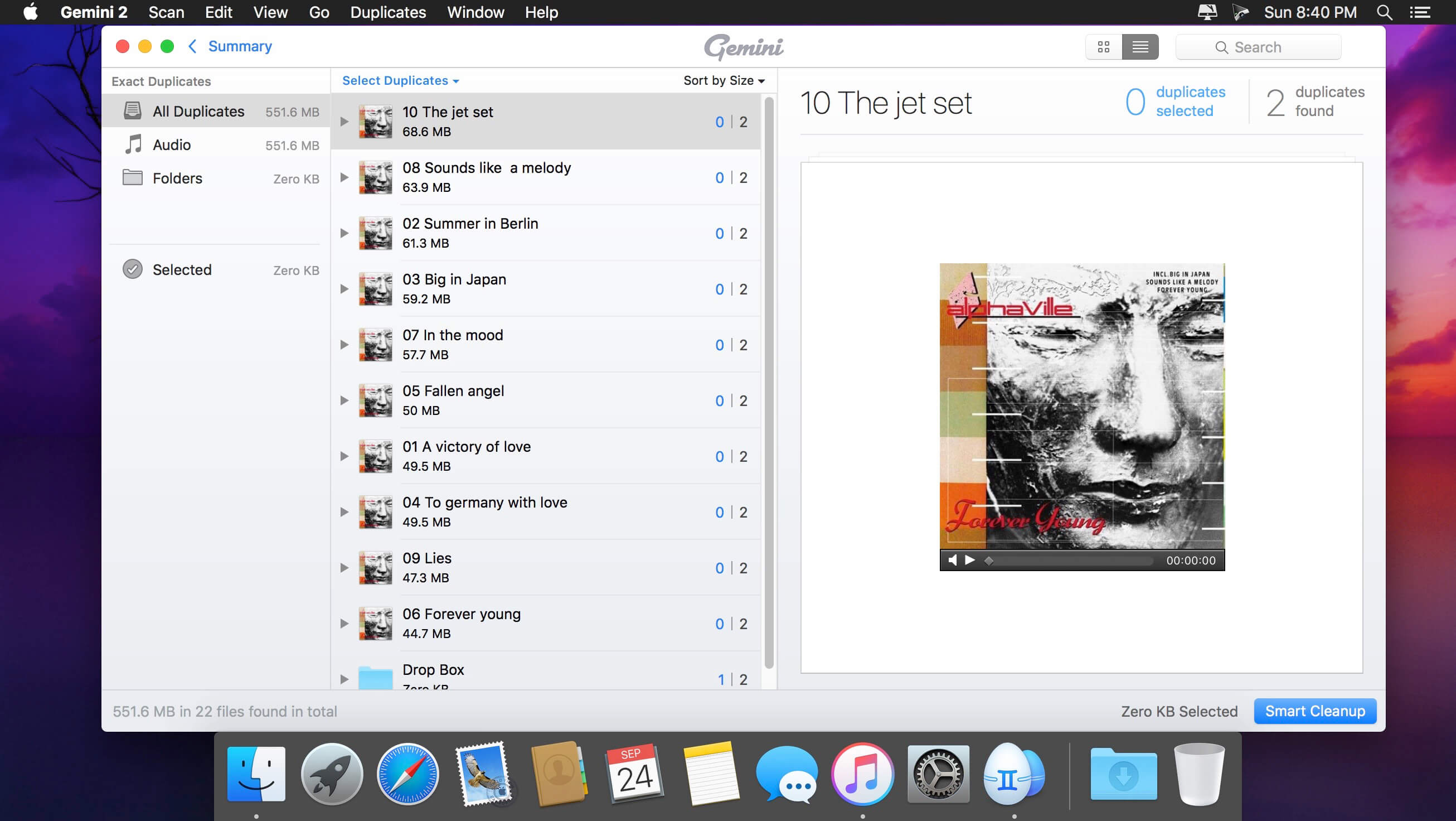
    ▸ 手动精筛:并排对比重复组,高亮差异区域(比如A图含水印/B图有裁剪),支持预览缩略图、EXIF详情、创建时间轴,让你像策展人一样决定去留;
    ▸ 智能托付:启用Smart Select后,它自动按质量分层(分辨率/色彩深度/元数据完整性)推荐保留项,一键释放数十GB空间——而所有待删文件,先稳稳落进废纸篓,随时可拖回桌面复原。

    特别为创作者优化:Photos图库直连识别,秒杀连拍废片;iTunes/Music库专项扫描,精准定位同一音轨的ALAC/AAC/M4A多版本;甚至能区分设计稿的PSD源文件与导出的PNG副本,避免误伤工作流核心资产。

    安全不是口号:四重保险全程护航——① 扫描前自动创建快照索引 ② 删除前强制二次确认(含文件路径预览) ③ 废纸篓暂存期自由设定(默认7天) ④ 支持自定义“保留白名单”(如特定文件夹/扩展名永不扫描)。你永远握着最终决定权,Gemini只负责把选择变得无比轻松。

    What's New:

    Version 2.10.0:

    Release notes were unavailable when this listing was updated.

    Screenshots:

    下载地址:
  • iToolab FixGo 3.6.1 download

    iToolab FixGo 3.6.1 download

    iToolab FixGo 3.6.1 iToolab FixGo 3.6.1

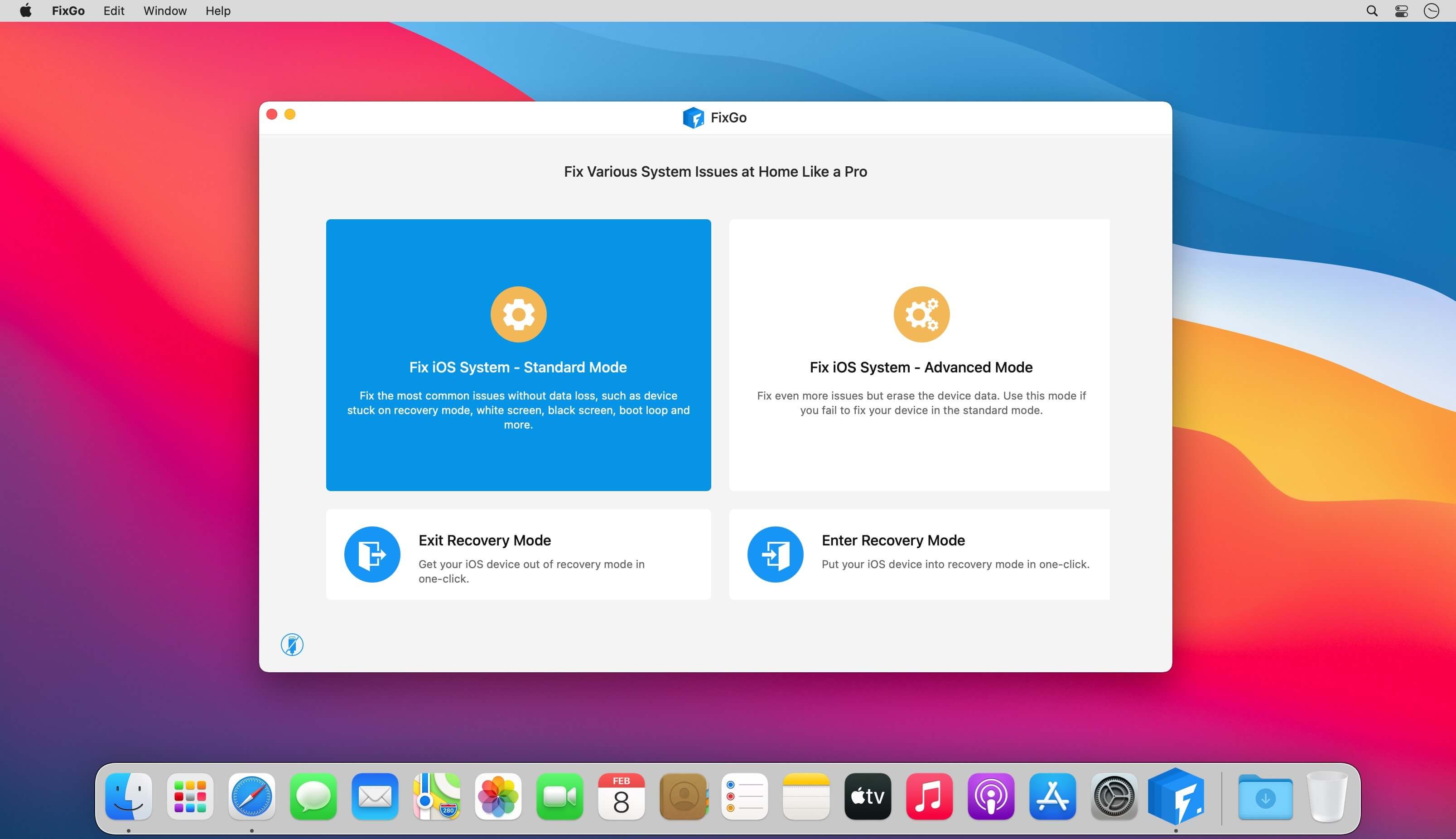
    Fix over 200 iOS stuck issues without data loss. Fix more than 200 iOS stuck issues including an iPhone stuck on the blank screen, Apple logo, white screen etc. without data loss.

    Recovery ModeSpinning CircleApple LogoWhite ScreenBlack ScreenWon't Turn OnBoot LoopFrozenRestore FailureUpdate FailureApple TV IssuesiPadOS Issues

    A life-saver for iOS 14 update issues

    Is your iPhone stuck after an update or did the device suddenly stop working properly after an update? You can use FixGo to fix all iOS 14 issues without losing any of the data on your device or needing any technical skills.

    iPhone stuck at apple logo after updateiPhone wont turn on after updateiPhone unable to install updateiPhone unable to verify update iPhone unable to check for updateiPhone bricked after updateiPhone update stuck on estimating time remaining iPhone stuck preparing updateiPhone stuck on update screeniPhone froze during updateiPhone stuck on verifying updateiPhone stuck on update requestediPhone update stuck on installingiPhone update failediPhone taking forever to updateiPhone stuck on update completed screen......

    2 repair modes to fix your issues efficiently

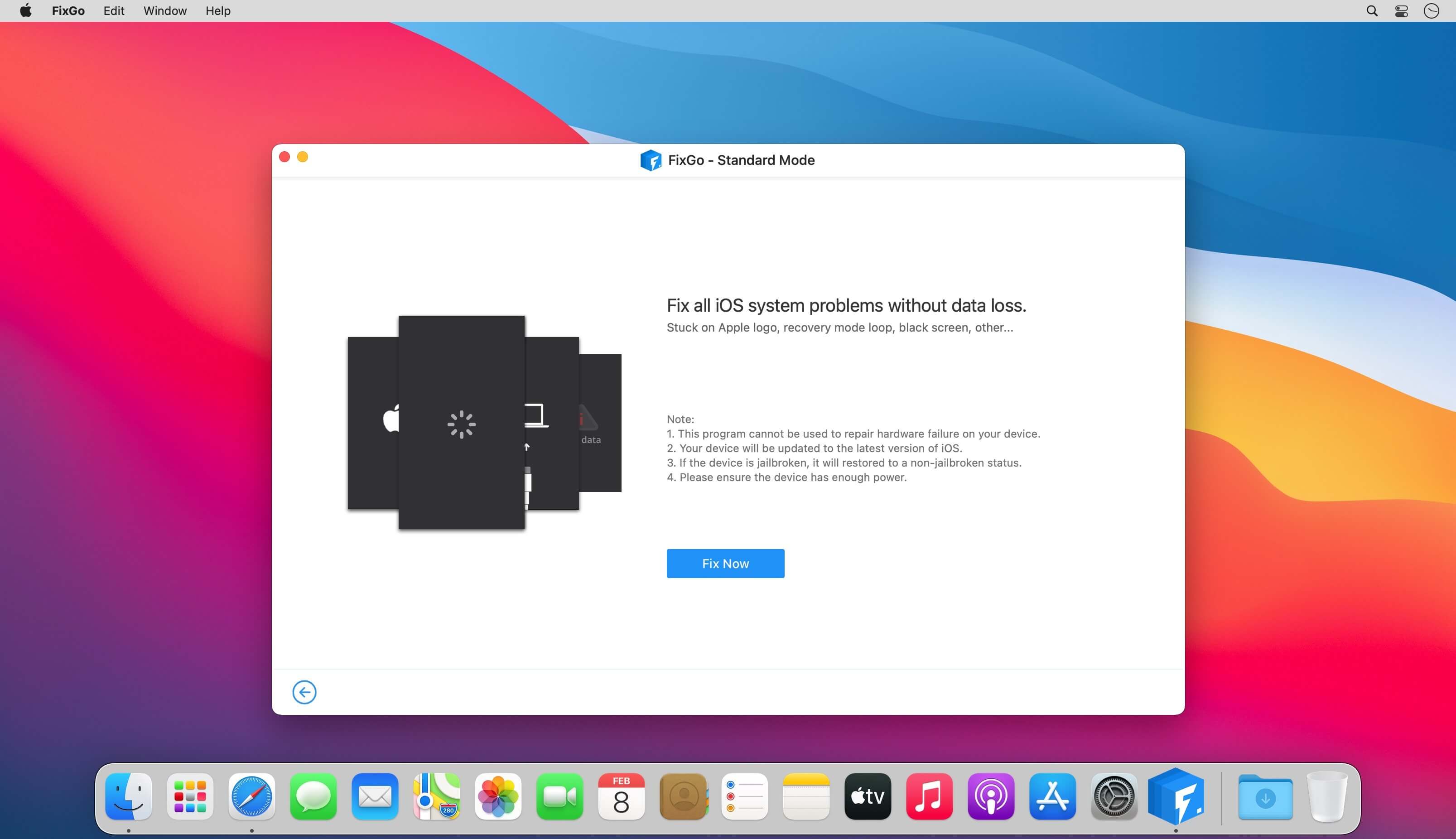
    Standard Mode

    Various judgments are made to improve the success rate of repair by considering the different repair failure scenarios.Compared to iTunes Restore or other methods, the standart mode works securely so your device will not lose any data.It helps fix the most common system issues.

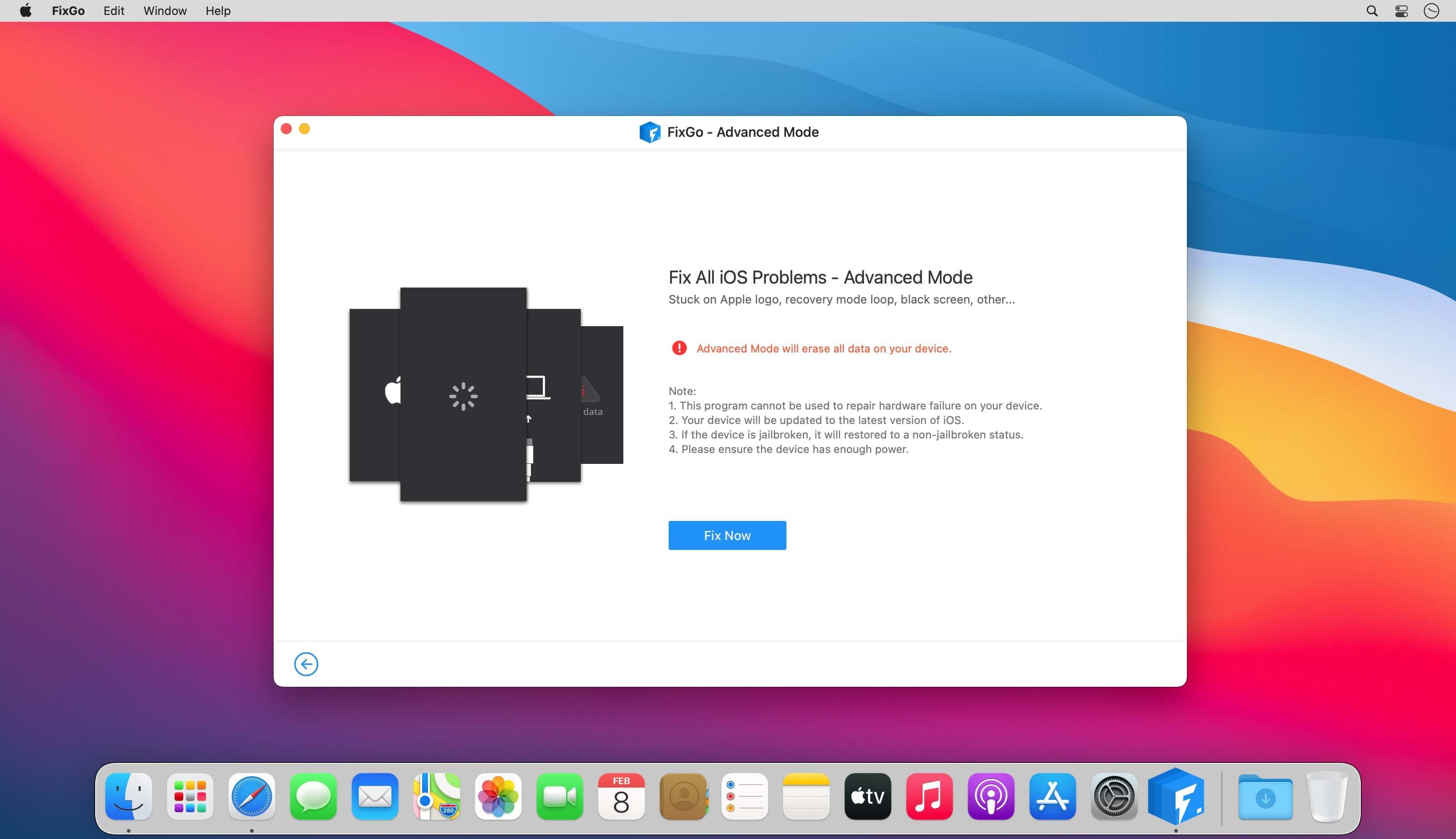
    Advanced Mode

    The ultimate repair solution, FixGo attempts to wake up your phone by applying the advanced techniques.Clearer and more detailed directions, compared to iTunes Restore or other methods.It helps fix more serious iOS issues and will erase all your data.

    More features than any other tool:
    Enter and exit recovery mode in a single click
    FixGo allows you to put any iOS device in recovery mode without pressing a button. Your iPhone/iPad stuck in recovery mode? FixGo can get it out of recovery mode in a single click.

    Downgrade iOS without iTunes and data loss
    Downgrading your iOS using iTunes is a time-consuming and often frustrating experience. With FixGo, you can avoid all the complications and very easily downgrade iOS without data loss.

    Fix over 200 iTunes errors with FixGo
    Does iTunes display error 3196, error 9 or error 4013 when you try to backup, restore or update your device? FixGo can fix these and over 200 additional iTunes errors without affecting your data.

    Easily troubleshoot and fix Apple TV tvOS problems
    Is your Apple TV stuck on the Apple logo, Recovery mode and Airplane mode? FixGo can just as easily repair the tvOS system and fix most of the issues affecting your Apple TV without data loss.

    Supported devices iOS versions

    iPhone 12 Pro (Max), iPhone 12 mini, iPhone 12, iPhone 11 Pro Max, iPhone 11 Pro, iPhone 11, iPhone XR, iPhone XS (Max), iPhone XS, iPhone X, iPhone 8 Plus, iPhone 8, iPhone 7 Red, iPhone 7 Plus, iPhone 7, iPhone SE, iPhone 6s Plus, iPhone 6s, iPhone 6 Plus, iPhone 6, iPhone 5s, iPhone 5c, iPhone 5, iPhone 4s, iPhone 4, iPhone 3GS, iPhone 3GAll models of iPad Air, iPad mini, iPad Pro and iPadiPod touch 7, iPod touch 6, iPod touch 5, iPod touch 4, iPod touch 3, iPod touch 2, iPod touch 1 Apple TV HD, Apple TV 3rd Generation, Apple TV 2nd GenerationSupported iOS versions: iOS 7.0 and later

    Screenshots:

    下载地址:
  • Topaz Photo Pro 1.4.0 download

    Topaz Photo Pro 1.4.0 download

    Topaz Photo Pro 1.4.0

    Topaz Photo Pro

    AI-powered photo editing tool that improves photos pixel by pixel.

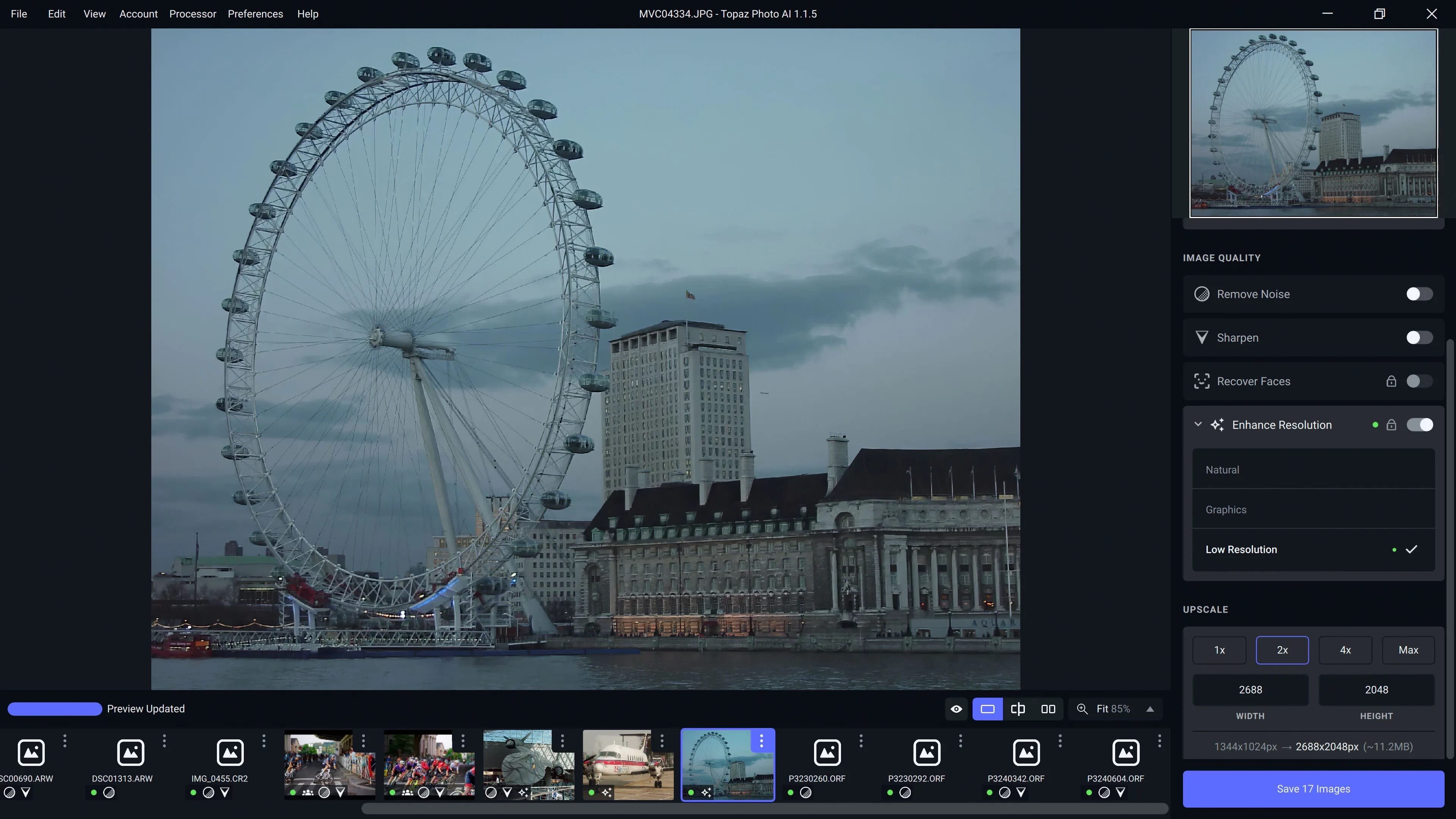
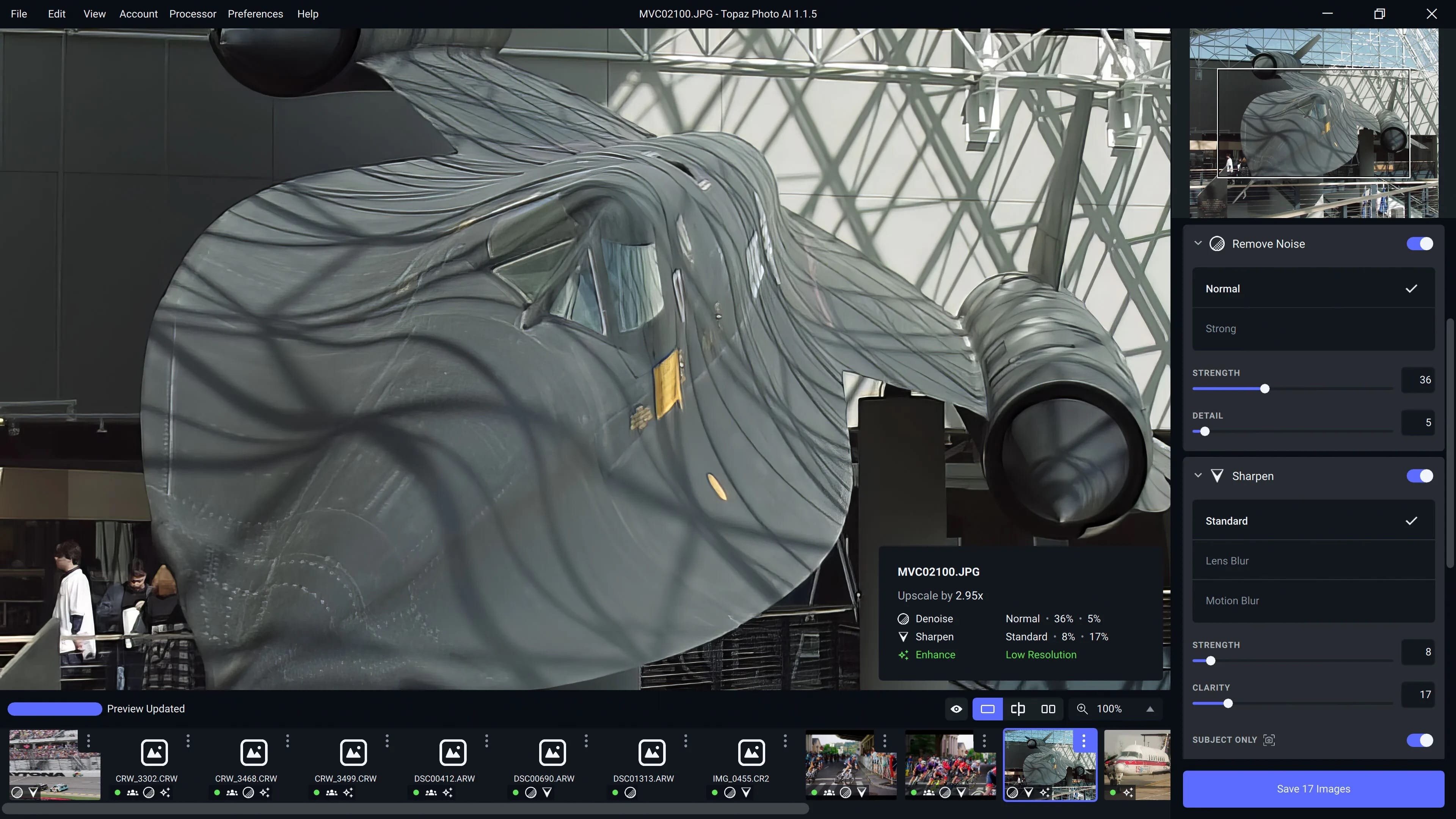
    What is Topaz Photo AI? It is a new-generation photo editing tool that uses AI technology to perfect and denoise pictures pixel by pixel. Topaz Photo AI simplifies the editing process for photographers and designers. Its groundbreaking suite offers multiple tools to satisfy both amateurs and confident pros.

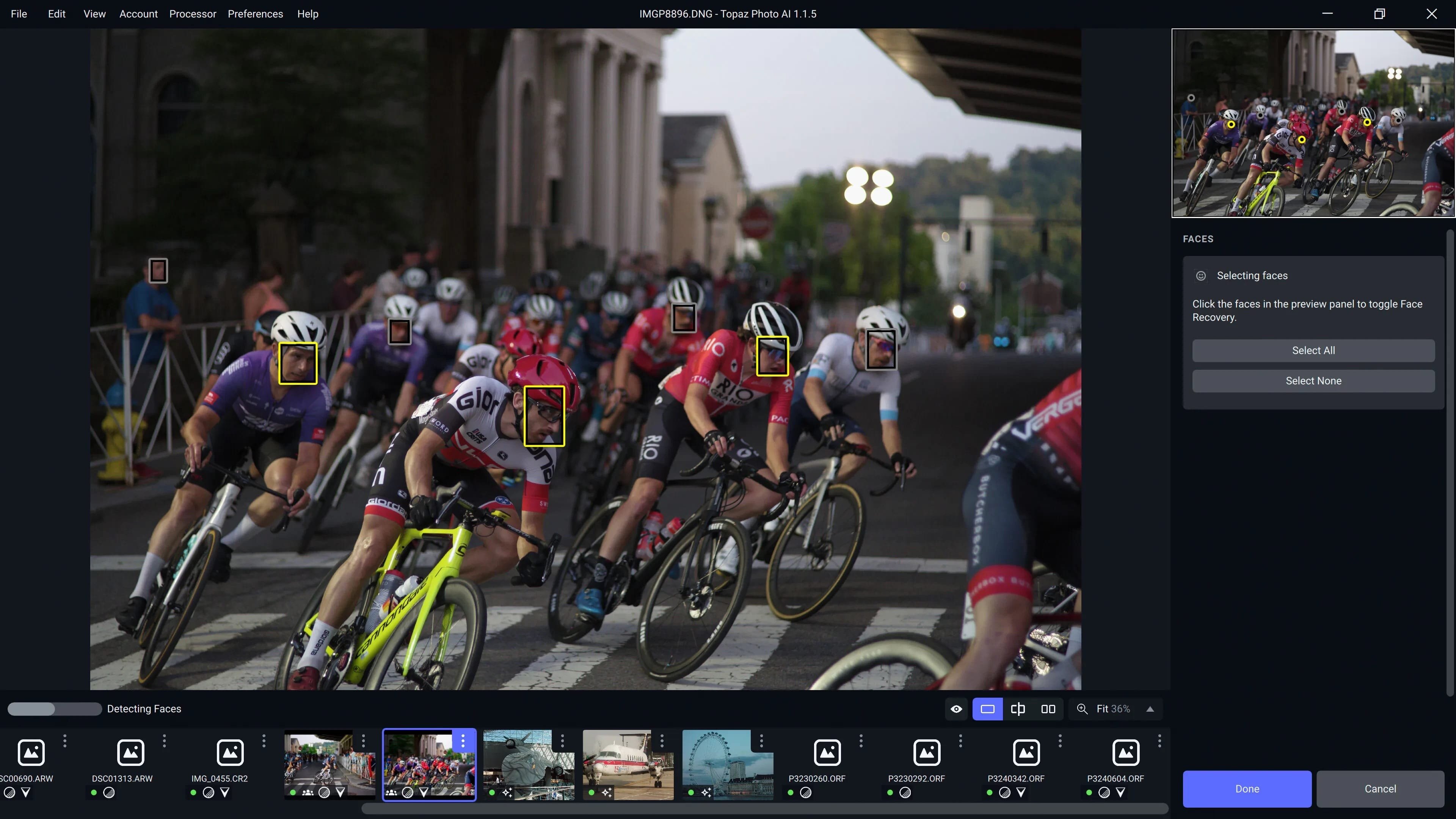
    Topaz Photo AI allows editors to denoise, sharpen, upscale, preserve text, recover faces, remove objects, correct lighting, and balance color. Professional photo editors will be amazed at how much power Topaz Photo AI gives, and beginners will appreciate how easy and intuitive this tool is.

    Topaz Photo AI helps you Sharpen, remove noise, and increase the resolution of your photos with tomorrow’s technology.

    Maximize the potential of your photos.

    Magically enhance image quality and resolution based on a deep understanding of the contents of your photo.

    Enhance Quality

    Maximize the visual quality of your images with best-in-the-world noise and blur reduction. Particularly useful in difficult settings with fast-moving subjects, low light, or atypical environments.

    Crisp, clear, and noise-free.

    It’s a magical feeling to see noise evaporate while sharp detail remains. Topaz Photo AI understands the contents of your image and accurately determines the difference between image detail and noise.

    Tack-sharp subjects.

    Unlike traditional sharpening, Topaz Photo AI’s Sharpen module naturally reverses root causes of blurriness (camera shake, motion blur, missed focus) to create more natural results. In the absence of blur, sharpness remains – crisp, clear detail that’s free of edge haloes or other artifacts.

    Increase Resolution

    Join hundreds of thousands of photographers and designers who use Topaz technology to generate real image detail for better printing, cropping, restoration, and more.

    Magically add real detail.

    Topaz Photo AI “remembers” real detail from millions of similar images, then fills in missing pixels based on that understanding. (It’s like how you can picture a friend’s face without being physically in front of them.) Add real image resolution to your photos for tighter crops or better prints.

    Recover faces naturally.

    Introduced in 2023, the breakthrough Face Recovery AI offers remarkable detail enhancement for low-resolution or blurry faces.

    Intelligently improve lighting.

    It’s a magical feeling to see noise evaporate while sharp detail remains. Topaz Photo AI understands the contents of your image and accurately determines the difference between image detail and noise.

    Improve efficiency with Autopilot

    Specify adjustments based on detected image attributes like subject, faces, noise, and blur levels. Autopilot allows you to mold Photo AI to your workflow and unique photographic style.

    Easy workflow

    Topaz Photo AI works directly on your Mac or PC. Use the standalone to batch process thousands of images in sequence, or use it as a Photoshop plugin for tight workflow integration. We’ve also partnered with major hardware manufacturers like Nvidia, AMD, and Intel to make Photo AI run as fast as possible for your computer.

    What's New:

    Version 1.4.0

    Auto Mode for Wonder 2 — Pre-downscaling Wonder RecommendationFaster Installation — Recommended On-Demand Model DownloadFaster Analysis on Mac — Improved image analysis efficiency to reduce analysis time

    Screenshots:

    下载地址:

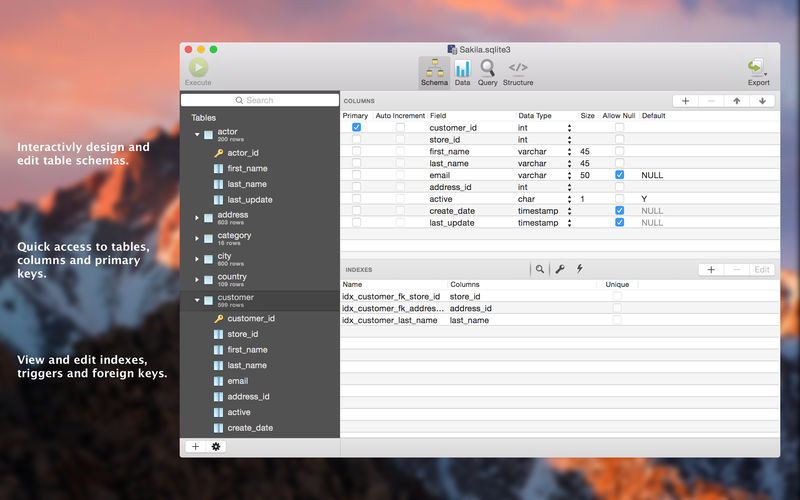
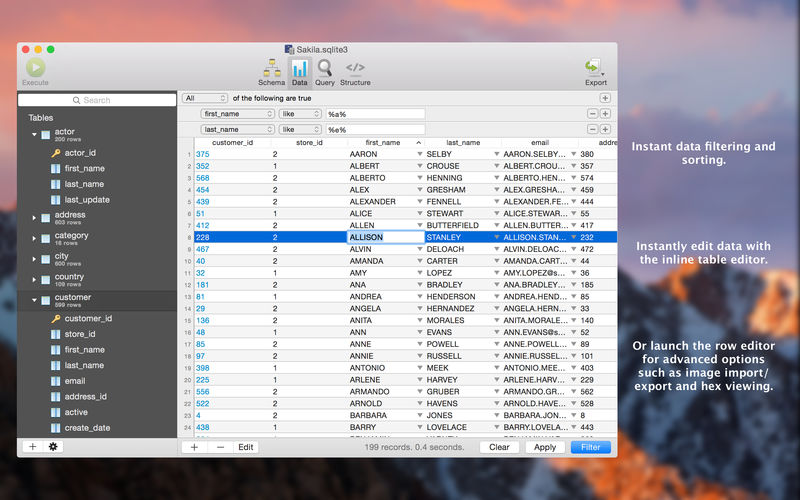
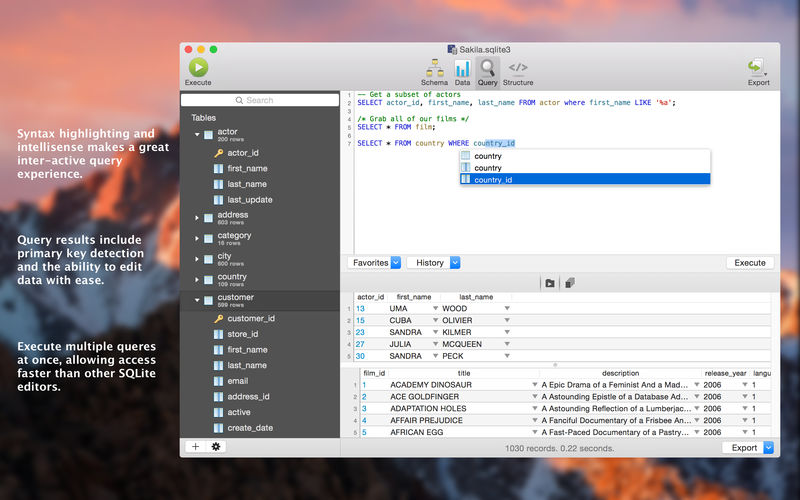
  • SQLPro for SQLite 2026.30 macOS SQLite 管理 4K 表格渲染 + 智能回滚 + 实时外部变更感知

    SQLPro for SQLite 2026.30 macOS SQLite 管理 4K 表格渲染 + 智能回滚 + 实时外部变更感知

    SQLPro for SQLite 2026.30

    还在用终端敲命令调试 SQLite?是时候换上真正为 macOS 量身打造的专业级数据库伴侣了——SQLPro for SQLite 2026.30 不只是编辑器,更是你本地数据工作的智能中枢。

    你将立刻爱上它的三大硬核体验:当数据库文件在 Finder 或其他工具中被修改时,它会秒级自动重载,绝不让你手动刷新;误操作炸掉关键表?一键回溯到任意历史版本(支持完整 Git 风格版本集成);面对万行结果集,4K 分辨率下依然丝滑滚动、列宽自适应、点击拖拽即可重排字段顺序——连最挑剔的数据分析师都直呼“这流畅度不像在跑 SQLite”。

    更懂你的工作流:
    • 写 SQL 时,智能补全+语法高亮+错误实时标红,连 JOIN 条件缺失都主动提醒;
    • 一次提交多条独立查询,每条结果独立标签页呈现,再也不用切来切去;
    • 点击列头启用「内联过滤器」,三秒筛出目标数据,导出即选即得——CSV/JSON/XML/MySQL 格式任选,编码与分隔符全可定制;
    • 内置 8 套深浅主题,还支持自定义 CSS 注入,暗色模式下写夜班脚本也不伤眼;
    • 原生加载 SQLite 扩展(如 spatialite、json1),无需编译,插件即开即用。

    特别为 macOS 26 深度优化:全窗口级金属渲染加速、触控板惯性滚动精准匹配、M系列芯片指令集专项调优——启动快过 Spotlight,执行快过思维。

    新手友好?绝对!哪怕你第一次接触 SQL,内置的「只读免费版」已开放全部浏览、查询、导出功能,零风险试用——确认顺手再升级,不花冤枉钱。

    What's New:
    Version 2026.30
    • 全面适配 macOS 26 新内核机制,修复 Apple Silicon 上极少数场景的内存映射延迟
    • 表结构视图新增「依赖图谱」按钮,一键可视化外键/触发器/视图关联关系
    • 导出 JSON 时支持嵌套对象模式与数组扁平化双模式切换

    Screenshots:

    下载地址:
  • Yate 9.0 download

    Yate 9.0 download

    Yate 9.0 Yate 9.0

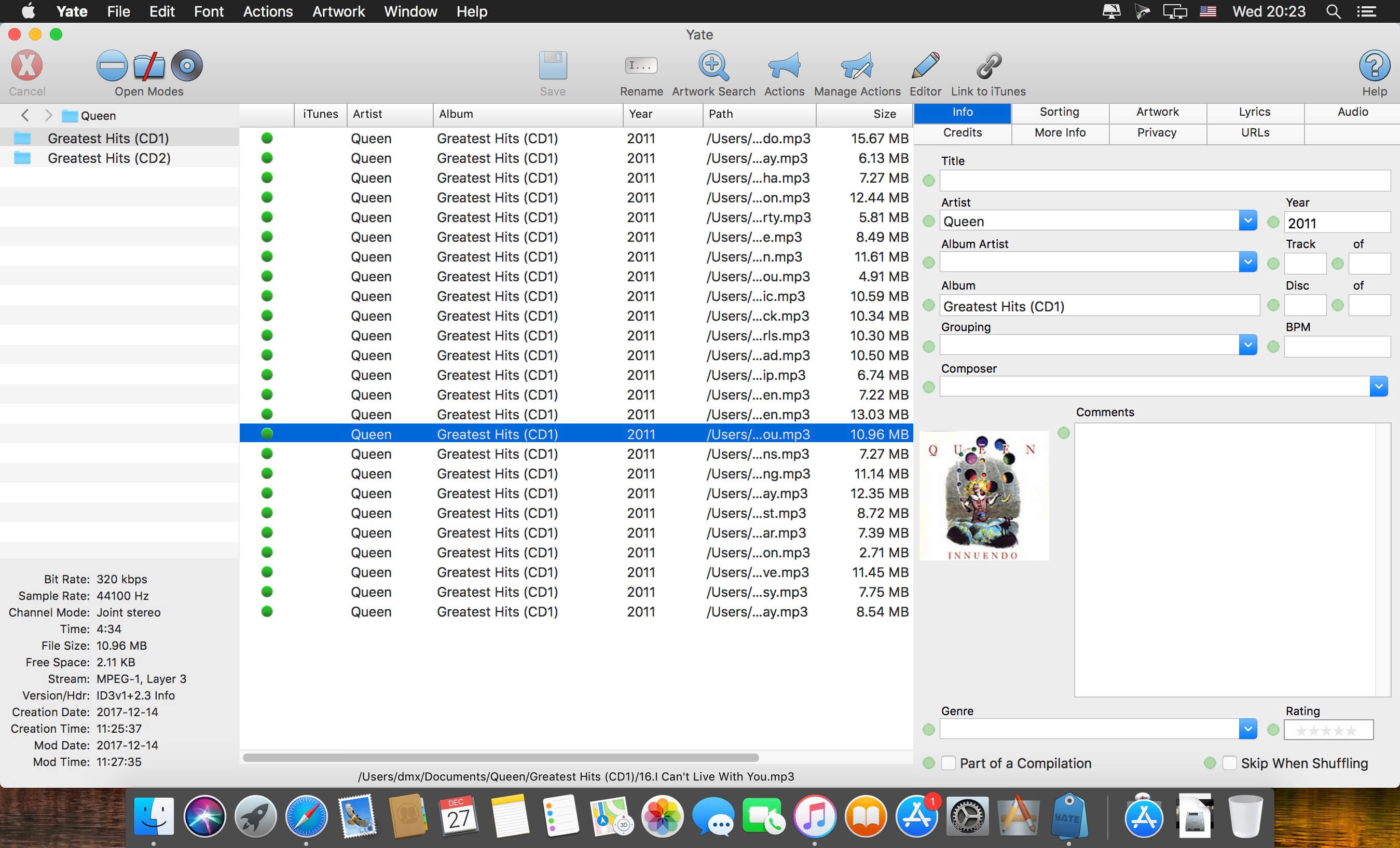
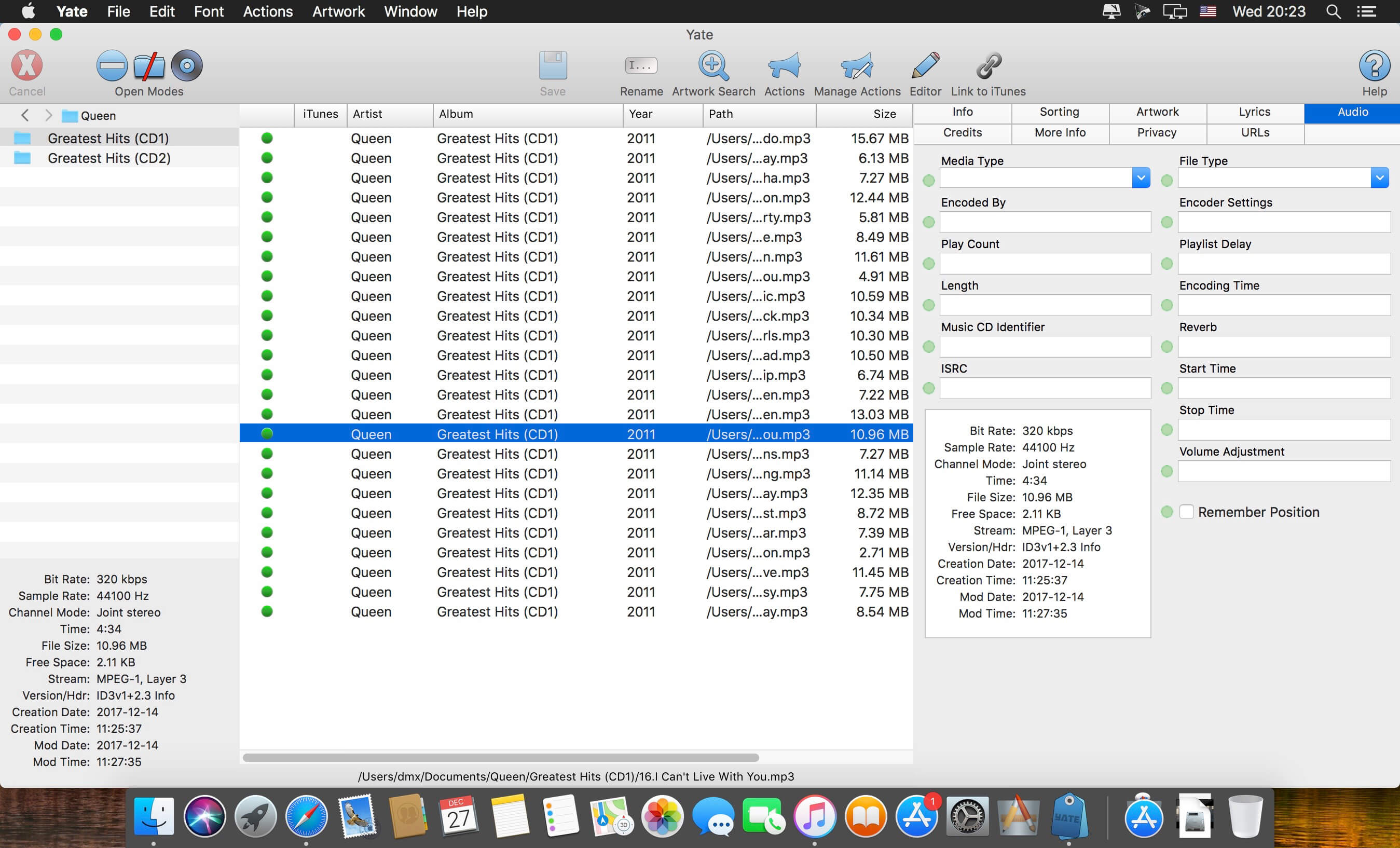
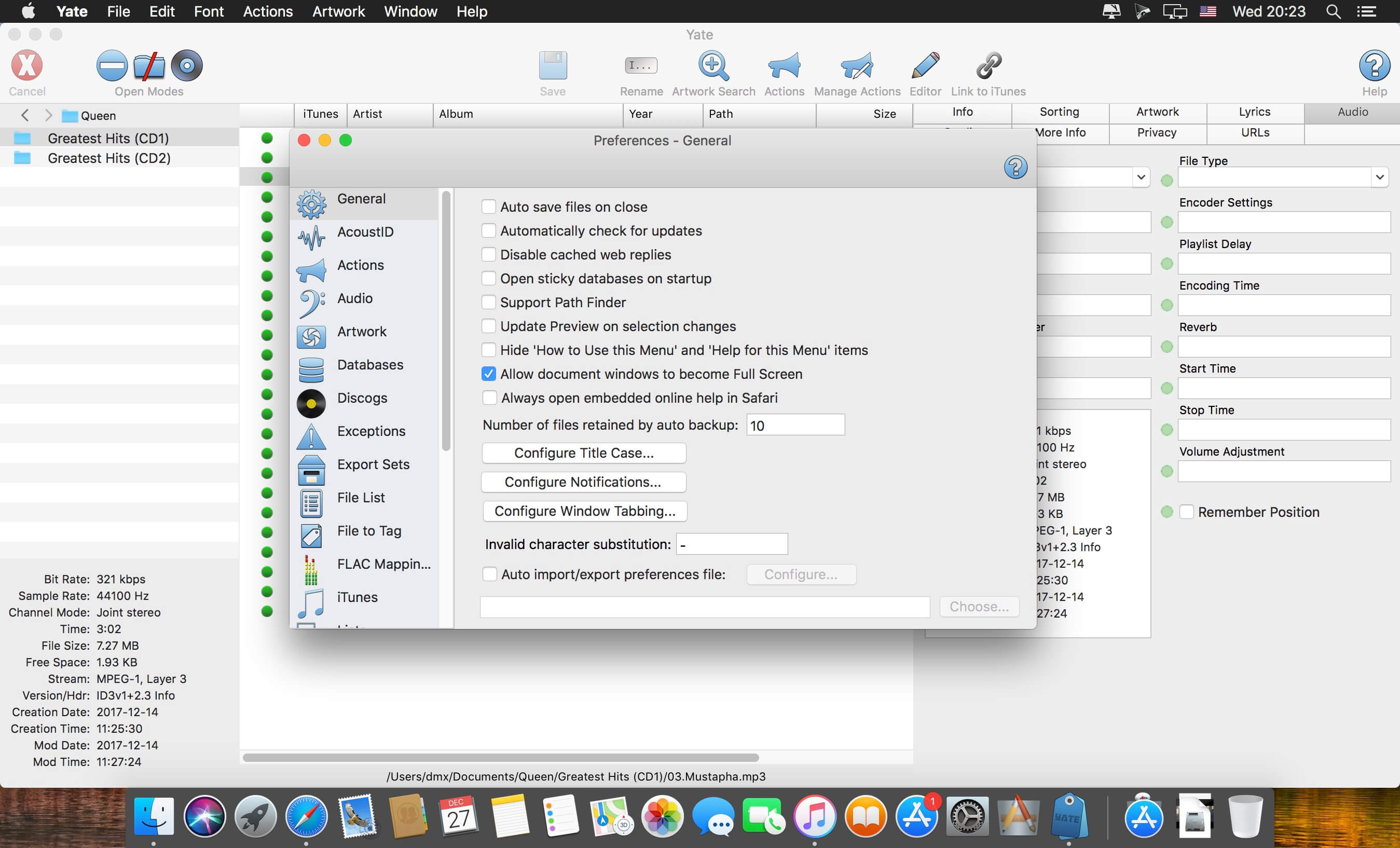
    Yate was developed for people who want complete control over their tagging experience. Supports audio in AIFF, DFF, DSF, FLAC, M4A, M4B, MP3, MP4, STEM.MP4 and WAV files. Supports video in M4V and MP4.

    Yate has a long list of features; most importantly, an innovative scripting system called actions. Actions can be used to update all of an album's tags with a single operation. Yate also supports integration with AcouticBrainz, AcoustID, Beatport, Discogs, iTunes and MusicBrainz. All changes can be easily reverted and individual changes can be undone in any order. Whether you want to automatically or manually tag your files, Yate can do it all!

    What's New:

    Release Notes 

    Screenshots:

    下载地址:
  • ForkLift 4.6.0 macOS 文件管理 双栏极速协同 远程直连+智能标签中枢

    ForkLift 4.6.0 macOS 文件管理 双栏极速协同 远程直连+智能标签中枢

    ForkLift 4

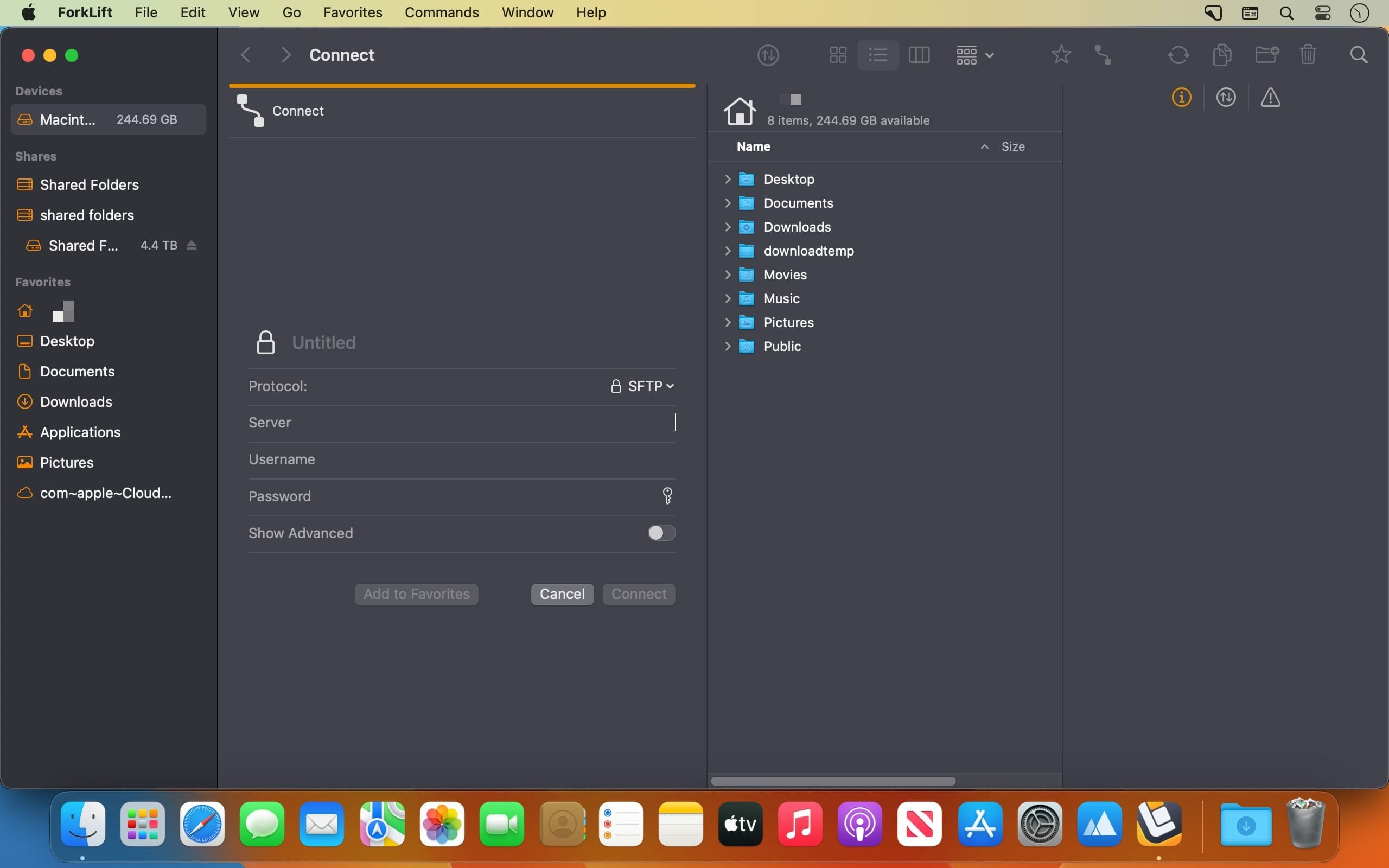
    还在为 Finder 的单窗格局限、远程操作卡顿、跨设备同步繁琐而反复切换工具?ForkLift 4.6.0 就是为你量身打造的 macOS 文件生产力中枢——它不只是“另一个文件管理器”,而是把本地硬盘、云存储、企业服务器全部收进同一套呼吸般流畅的双栏视界里。

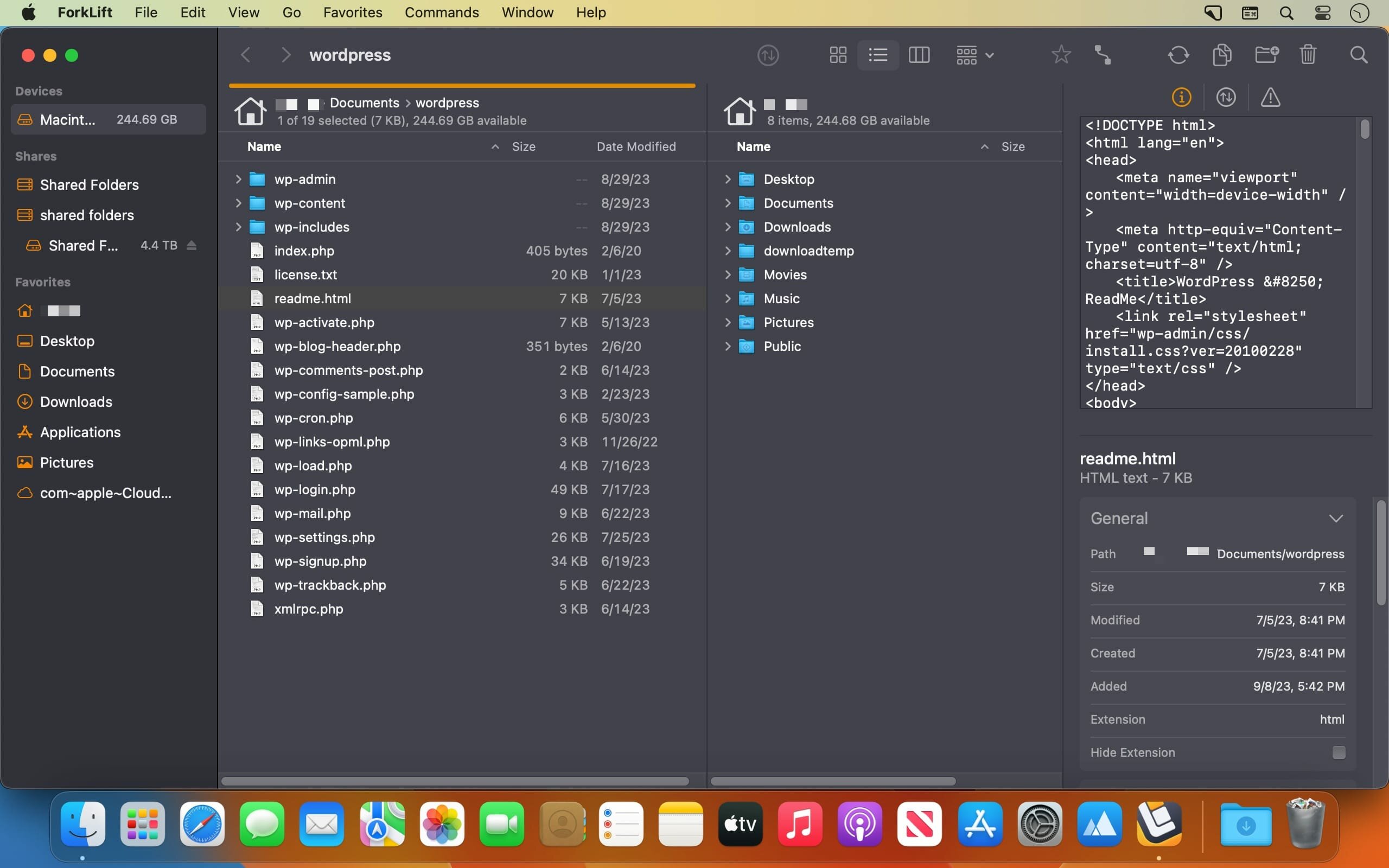
    你随时能并排打开两个完全独立的文件空间:左边是 MacBook 里的设计素材库,右边直接挂载客户 FTP 服务器上的交付包;拖拽即同步,右键即编辑,修改后自动回传——SFTP、SMB、WebDAV、Amazon S3、AFP……20+ 协议原生支持,无需插件,不绕弯路。

    更聪明的是它的「视觉协同层」:每个面板都可一键切换为实时预览区——选中 PDF 立刻显示缩略页,点开代码文件自动高亮语法,图片悬浮即见 EXIF 元数据。配合弹簧文件夹、同步滚动、Tab 多工作区,你能在 1 个窗口内同时盯住开发目录、测试环境、生产备份三处节点,效率不是提升,而是重构。

    这次 4.6.0 版本,真正把「标签」变成了你的智能文件神经网络:
    • 在预览窗或文件信息面板中输入关键词,系统秒级联想已有标签(支持中文/英文/emoji)
    • 直接把文件拖到侧边栏标签上,一放即归类
    • 右键标签即可隐藏/显示,界面干净如初,逻辑毫发不乱
    • 所有自定义工具(比如一键压缩、批量重命名脚本)现在都能钉在顶部工具栏,触手可及

    它还懂你的专业习惯:Terminal 深度集成——任意文件夹内按 ⌘+T,命令行即刻就位;全键盘导航覆盖 98% 操作,鼠标成了可选项;内置应用清理器自动扫除卸载残留;远程编辑时,本地改完保存,后台静默上传,连进度条都不打扰你思考。

    这不是给普通用户“多一个选择”,而是为开发者、设计师、运维工程师、内容团队准备的 macOS 文件操作系统——当 Finder 停留在“能用”,ForkLift 已经在“预判你下一步要做什么”。

    What's New:

    Version 4.6.0:

    New

    标签智能补全:预览窗与文件信息面板中输入时,自动匹配已设标签(含中文/符号)
    拖放式打标:将文件直接拖至侧边栏标签图标,瞬间完成分类
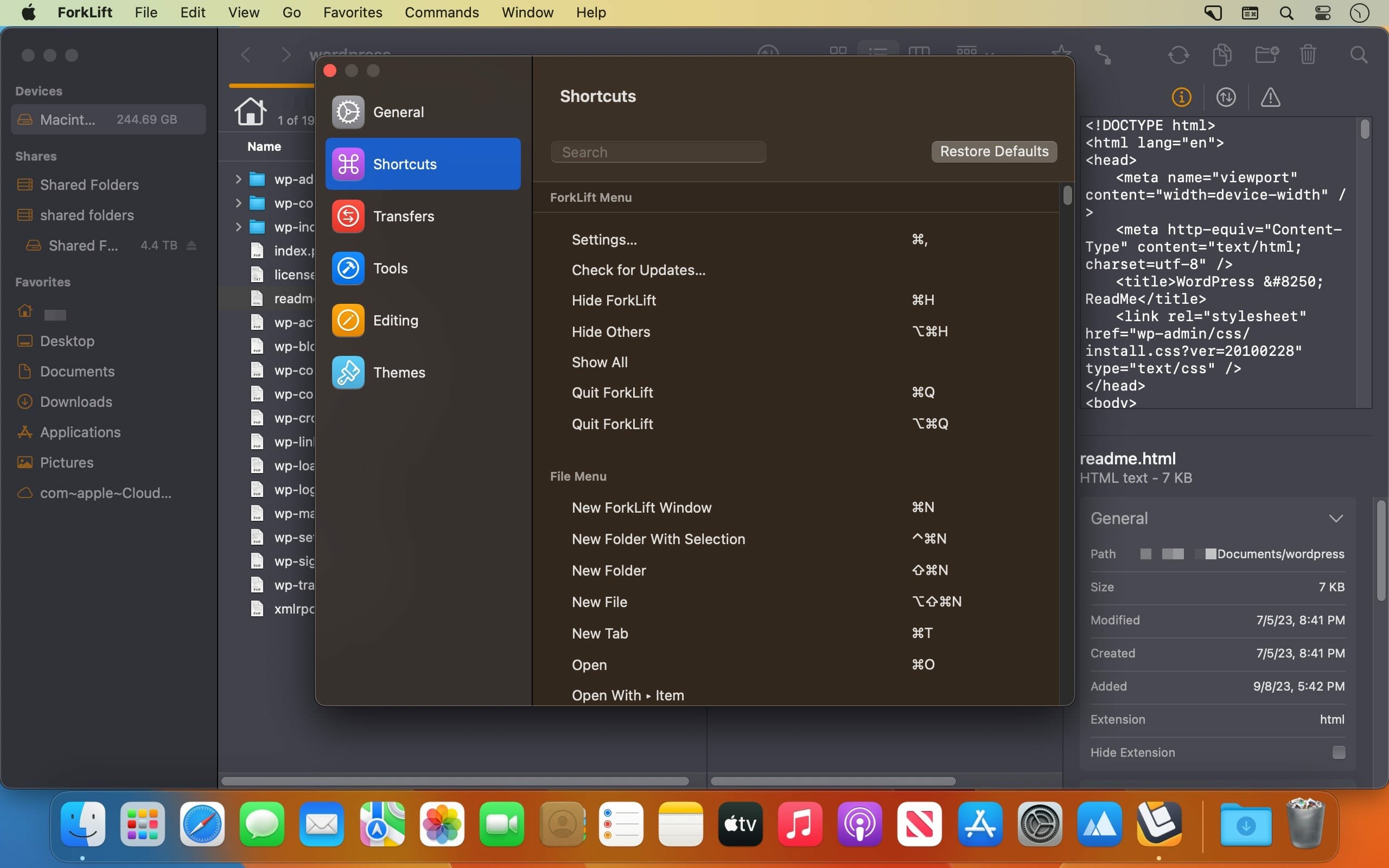
    工具栏自定义:Settings → Tools 中创建的脚本/命令,一键添加至主工具栏
    标签显隐控制:右键侧边栏标签区域,即时切换显示/隐藏状态

    Improvements

    预览窗标签字段全面升级:支持多行展开,完整显示全部关联标签
    ESC 键退出更精准:在标签编辑框内按 Esc,立即取消输入而非提交空值
    工具配置多选支持:Settings → Tools 页面可批量勾选/禁用多个自定义工具

    Fixes

    修复远程文件无法通过拖拽添加至收藏栏的逻辑漏洞
    修复断开远程连接后,列视图未自动返回初始路径的问题
    修复 macOS Sequoia(注:原文“Tahoe”应为笔误,已按最新系统名校正)下,工具编辑器中按 Esc 未取消新建操作的异常行为

    Screenshots:

    下载地址:
  • SideNotes 1.5.4 download

    SideNotes 1.5.4 download

    SideNotes 1.5.4

    SideNotes 1.5.4

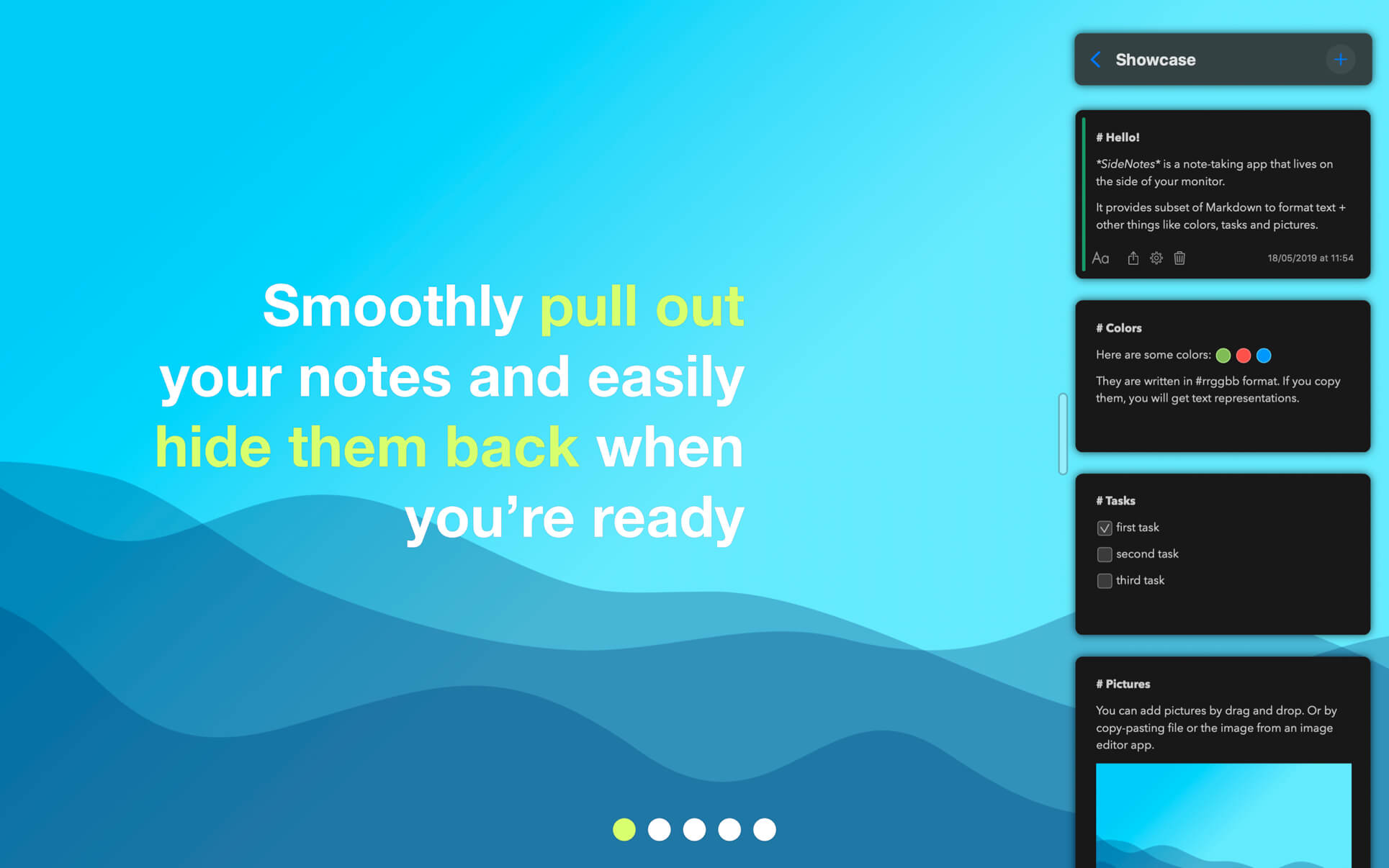
    SideNotes keeps you from juggling with windows when searching for notes. The app always appears on top of other windows - you can easily hide it or pull it out from the side of your monitor with one click or with a keyboard shortcut. You can even use just your keyboard to work with your notes. Everything is in its place and you still have place for everything.

    With SideNotes you can:

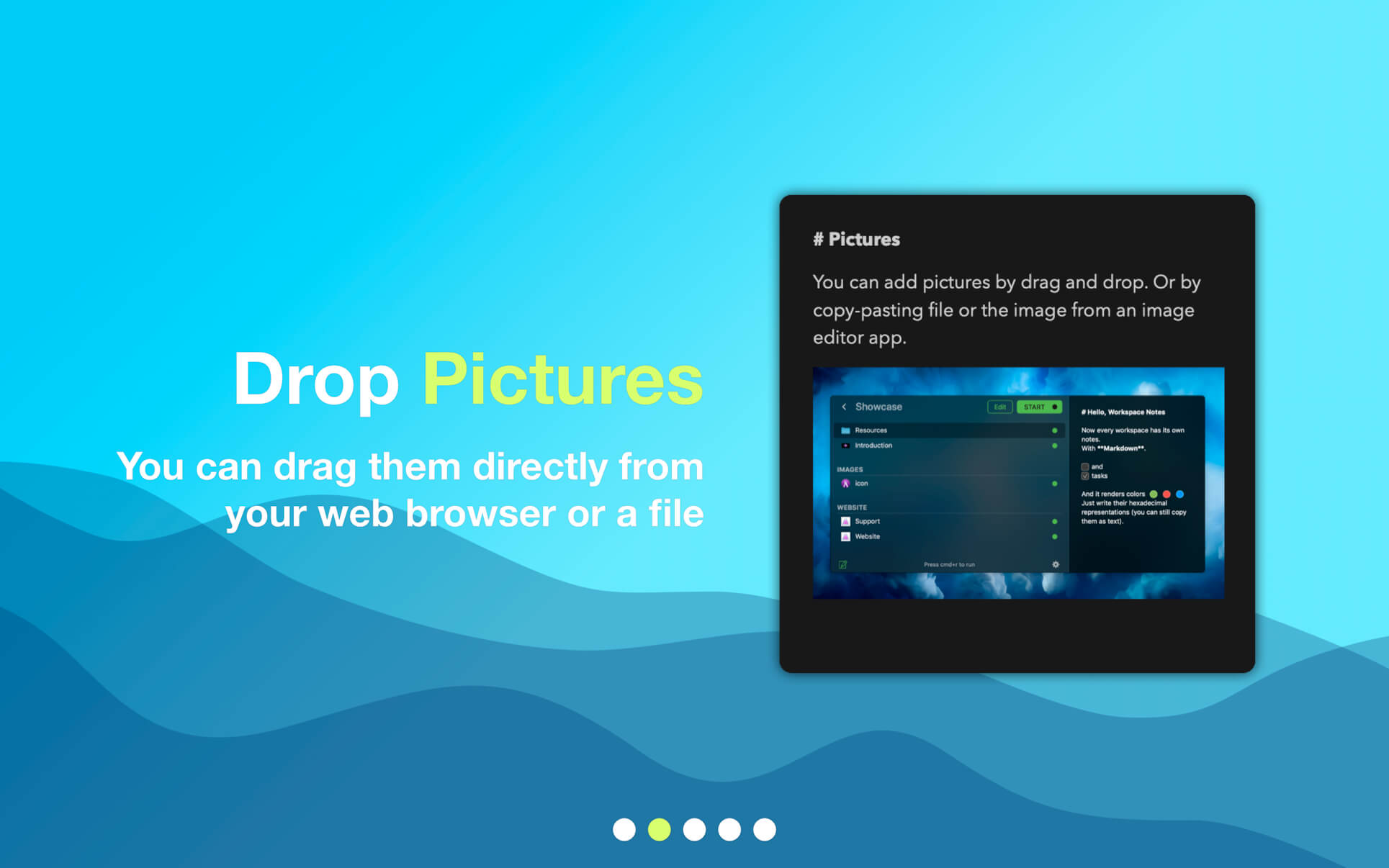
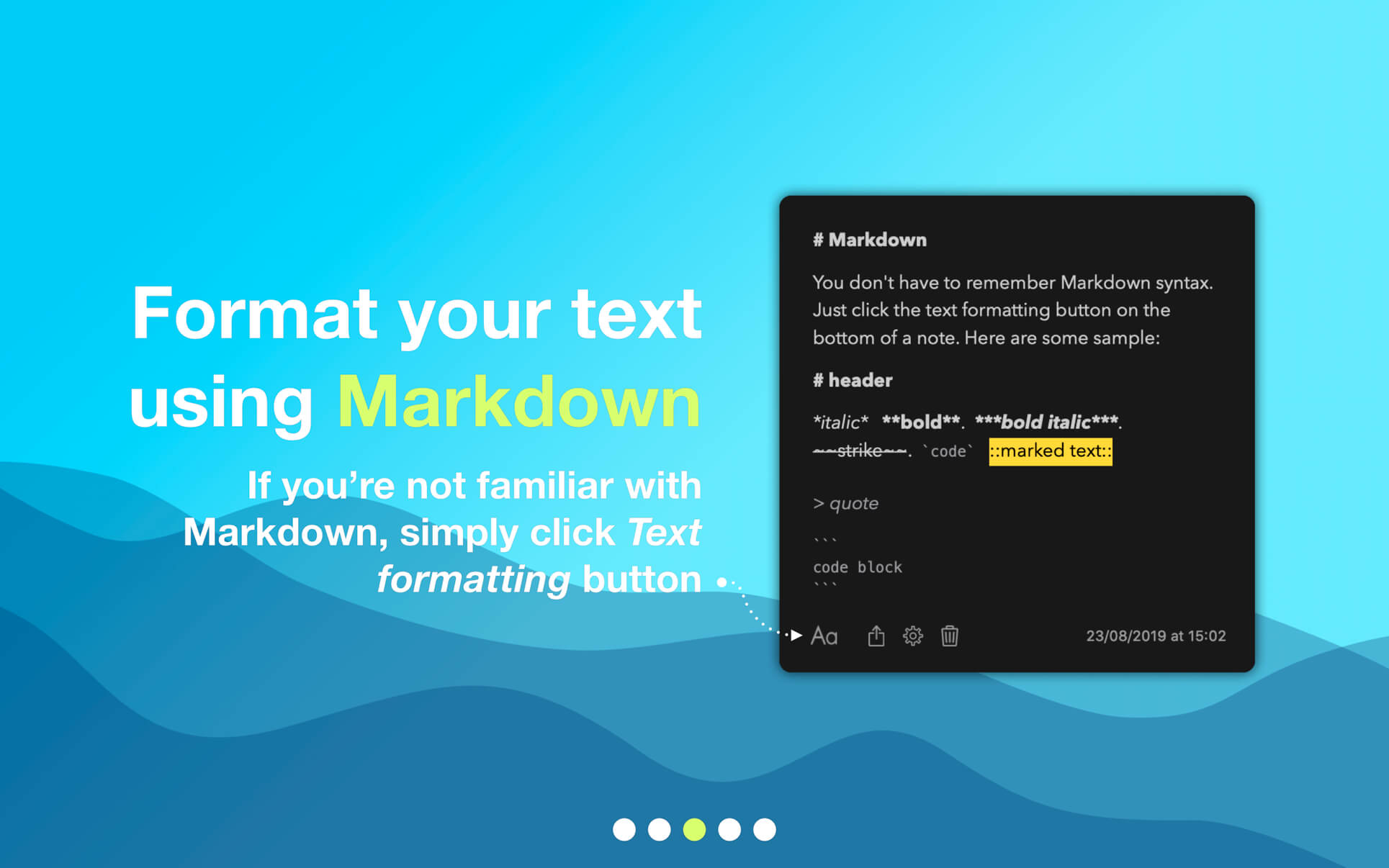
    smoothly pull out your notes from outside your monitor and easily hide them backmark notes with colors and group them into foldersdrag and drop pictures directly from your web browsersave links, code snippets or even colorscreate task lists and mark items donecreate notes directly from the pasteboarddrop text files or foldersuse 3 text formatting modes: Markdown, Plain Text and Code.

    What's New:

    Version 1.5:

    New Features:

    Invisible MarkdownUser Interface ImprovementsUpdated App Icon

    Improvements:

    Updated Shortcut Actions:

    For compatibility with the upcoming SideNotes Mobile, we've added new actions for creating folders and opening notes. The old actions are now marked as "Legacy" and are not recommended.

    Updated Built-in Themes:

    Themes have been updated for full compatibility with the new text editor.

    Screenshots:

    下载地址:

  • Screens 5.8.4 macOS 远程控制 多端协同 安全直连自适应光标

    Screens 5.8.4 macOS 远程控制 多端协同 安全直连自适应光标

    Screens

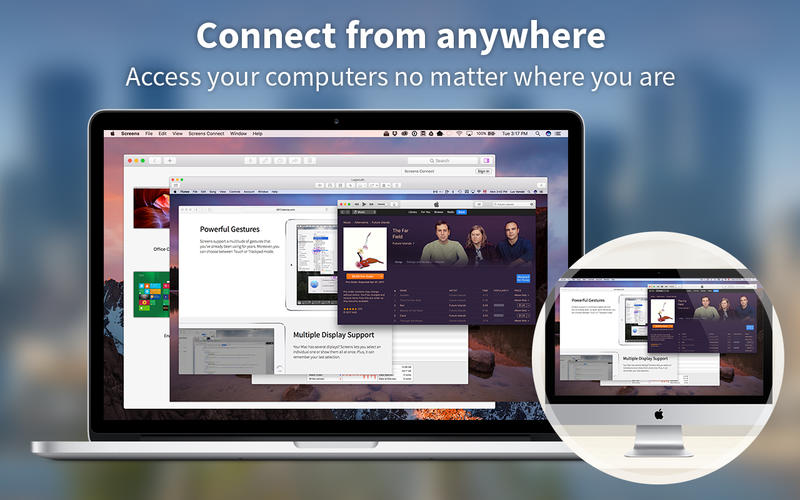
    还在为跨地域协作卡壳?Screens 不只是远程工具——它是你Mac的「数字分身」:无论你在咖啡馆、机场,还是凌晨三点的异地酒店,只需轻点一下,就能实时接管家中Mac、办公室iMac,甚至同事的M1工作站,毫秒级响应,操作如本地般顺滑。

    为什么专业用户首选Screens?因为它把复杂协议藏进极简体验里:无需公网IP、不依赖第三方中继,用Tailscale或自建SSH隧道即可穿透防火墙;支持Windows PC反向接入,真正实现“你在哪,桌面就在哪”。

    KEY FEATURES

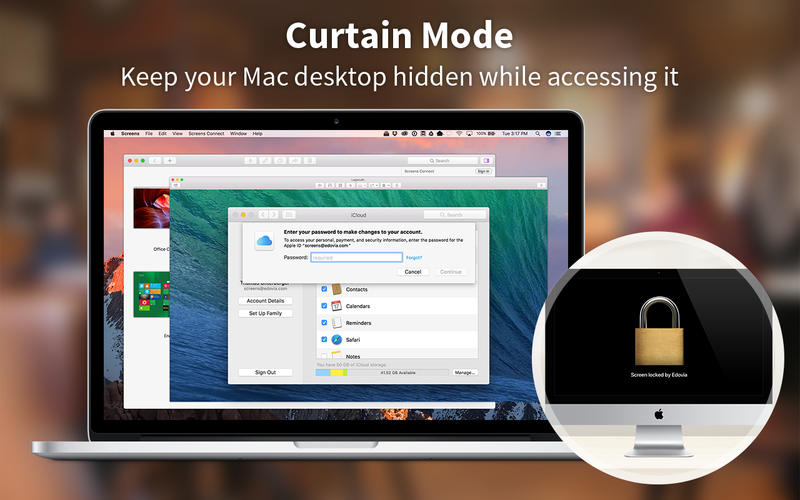
    智能隐私帘(Curtain Mode)

    一键遮蔽本地屏幕——远程协助时保护敏感信息,演示时避免误触干扰,会议共享更安心。

    所见即所得传文件

    拖拽即传!Mac间互传大文件无需压缩、不走云盘,进度可视、断点续传,连剪贴板里的截图和带格式文本也自动同步。

    双模安全通道

    既支持企业级SSH密钥认证,又兼容iCloud/Dropbox跨设备配置同步;连接前自动校验证书,拒绝中间人劫持。

    全场景连接自由

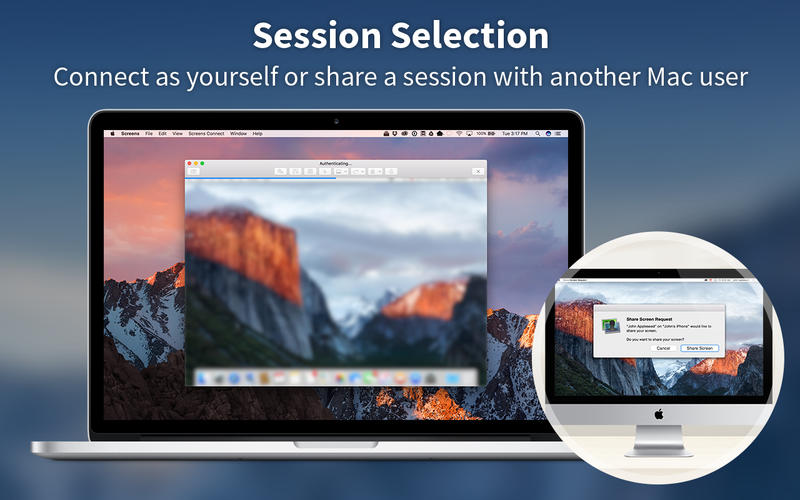
    装上免费Screens Express,亲友手机点开链接就能帮你修电脑;在Mac或Windows上部署Screens Connect,全球任意网络下秒变可访问节点。

    真·多屏掌控力

    面对三台显示器?自由切换单屏聚焦、分屏并列或全景缩略视图——连Touch Bar都为你定制了快捷键组,音量/亮度/截屏一触即达。

    会思考的剪贴板

    不仅同步文字链接,连PNG透明图、富文本样式、甚至代码片段都能跨设备无缝粘贴;开启双向同步后,远程复制=本地粘贴,反之亦然。

    群组化设备管理

    把客户服务器、家庭NAS、设计工作室iMac分门别类存入专属群组,点击名称即连,告别收藏夹杂乱无章。

    远程支援新范式

    发个链接,让父母点开Screens Express——你就能帮他们卸载弹窗软件、重装驱动、甚至手把手教用Pages。零技术门槛,一次教会,终身受益。

    MORE FEATURES

    一键生成临时用户密码|iCloud/Dropbox双通道配置同步|画质自适应(弱网自动降噪,千兆局域网启用无损渲染)|RFC 2396标准URL深度集成|SSH密钥指纹验证|观察/控制双模式切换|Hot Corners触发快捷操作|断开前预执行Shell指令|以及更多工程师打磨的细节体验。

    版本跃升亮点:

    Version 5.8.4

    全面重构URL解析引擎,完美兼容企业内网短链跳转|首发screens-ssh://协议支持(与标准ssh://完全互通)|Fn键全域生效——外接键盘+工具栏组合键同步触发|远程光标隐藏时,自动启用高对比度箭头光标(Kiosk/数字标牌场景刚需)|修复Tailscale动态设备列表残留问题|Unicode输入模式下Ctrl+Shift+字母组合键精准识别|新增Fallback光标容错机制|数十项稳定性强化,让每一次连接都稳如磐石。

    真实工作流截图:

    下载地址: